No products in the cart.


USE CODE: SPINNERBELT

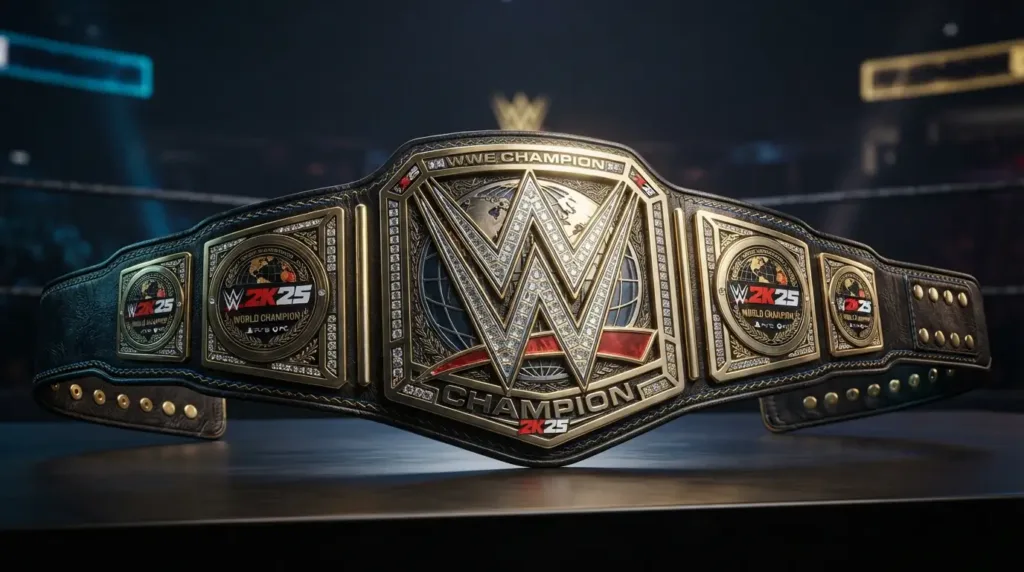
The WWE 2K25 Championship Belt Design Maker lets players build their own one-of-a-kind title belts from scratch, right inside the game’s Create-a-Championship feature. Whether you’re designing a belt for your custom superstar, recreating a classic championship, or building something totally original.
This guide walks through exactly how the tool works, step by step, and how you can even turn your favorite digital design into a real, physical belt.
The WWE 2K25 Championship Belt Design Maker refers to the game’s built-in Create-a-Championship tool, which lets players design fully custom title belts for use in Universe Mode, MyGM, and other game modes. Rather than only choosing from existing WWE titles, players can build an original championship from the ground up, controlling everything from the base shape and plate colors to logos, decals, and layered artwork.
Before you can use the WWE 2K25 Championship Belt Design Maker, you’ll need to find where it lives in the game’s menus. The Create-a-Championship tool is typically found within the game’s Creation Suite, alongside other custom content options like Create-a-Superstar and Create-an-Arena. From there, selecting “Create a Championship” opens the design maker, where you can either build a brand-new title or edit and personalize one of the game’s existing championships.
Here’s exactly how the WWE 2K25 Championship Belt Design Maker works, one step at a time.
The design maker starts by offering several base belt templates to choose from. These templates determine the overall shape and plate layout of your championship before any customization begins.
Next, you can customize the color of the front and side plates. Options range from traditional gold and silver finishes to bold, non-traditional colors like pink, blue, or black, giving you full creative control over the belt’s overall look.
The design maker includes a large built-in library of logos, decals, and images, from show and pay-per-view branding to Superstar images and signature catchphrases. You can apply these directly to the belt’s plates to personalize it for a specific wrestler or storyline.
The most powerful part of the WWE 2K25 Championship Belt Design Maker is its layering system. By stacking and combining different shapes creatively, you can build entirely original artwork, logos, or symbols that aren’t available in the default image library, giving advanced creators near-total creative freedom.
Once your design is complete, you can assign the custom title to a specific wrestler or place it up for grabs within Universe Mode, allowing your custom championship to become part of your ongoing game storylines.
A few small details can make a big difference in how polished your finished design looks. Keep color palettes limited to two or three main tones for a cleaner, more cohesive appearance, rather than overloading the belt with too many colors at once. Use the layering function to add subtle shadow or highlight effects, which can make flat, single-color designs look more three-dimensional. Pay close attention to symmetry between the front plate and side plates, since mismatched proportions are one of the most common mistakes new creators make. Finally, study real championship belts for inspiration. Even famous designs like the Winged Eagle Belt or the Big Gold Belt can offer useful ideas for balancing detail with visual clarity.
Many players choose to share their finished designs through Community Creations or social platforms like TikTok and YouTube, where custom championship showcases have become especially popular among the WWE 2K25 creative community. Sharing your design is also a great way to get feedback and inspiration for future custom titles.
Once you’ve designed the perfect championship in-game, you might find yourself wishing you could hold a real version of it. That’s exactly the kind of project we specialize in, turning custom designs, whether inspired by your WWE 2K25 creation or an entirely original concept, into a genuine, physical championship belt with premium materials and detailed craftsmanship.
Explore our full WWE Championship Belts collection for inspiration, or get in touch with us about creating a fully custom belt based on your own WWE 2K25 design or original concept.
It’s the game’s Create-a-Championship feature, allowing players to design fully custom title belts by choosing base templates, plate colors, logos, decals, and layered artwork.
The tool is typically located within the game’s Creation Suite, alongside other custom content features like Create-a-Superstar and Create-an-Arena.
Yes, the layering function allows you to combine and stack shapes to build original logos or artwork beyond what’s available in the default image library.
Once your design is complete, you can assign it to a specific wrestler or place it up for grabs within Universe Mode as part of your ongoing storylines.
Yes, custom physical championship belts inspired by your in-game design (or an entirely original concept) can be made using premium materials and detailed craftsmanship.
The WWE 2K25 Championship Belt Design Maker gives players an impressive amount of creative freedom, from simple color and logo customization to fully original artwork built through the layering system. Whether you’re building a title for a custom storyline or just experimenting with creative designs, taking the time to learn each step of this tool will help you produce a championship that looks just as good as the real thing. And if your digital creation inspires you to own something even more special, turning that design into a real, physical belt is more achievable than you might think.

 Optimized by Seraphinite Accelerator